Ever thought how a little extra help could brighten your day? Assistive technology (tools designed to help with daily tasks) is changing how we view independence.
Take screen readers (programs that read text out loud) and adaptive keyboards (keyboards built to meet different needs), for example. They let people with disabilities handle everyday activities more easily while breaking down old barriers.
And the best part? More than 2.5 billion users already enjoy these benefits, proving that a bit of modern tech can turn challenges into opportunities for a more independent and fulfilling life.
assistive technologies: Empowering Independence and Access
Assistive technologies are tools made to help people with disabilities tackle everyday life and work challenges. They include devices, software, and equipment such as screen readers (programs that read digital text out loud) and alternative keyboards. These tools make daily activities easier and break down barriers that might otherwise hold someone back.
According to the World Health Organization, about 2.5 billion people use these technologies today. Experts expect that number to grow to 3.5 billion by 2050. In the coming years, digital accessibility is all about inclusion, ensuring that everyone benefits from new tech. This means making digital resources and public spaces more friendly and easier to use for everyone.
Assistive technologies give people a chance to be more independent and participate fully in education, work, and life in general. Whether it’s devices that help with mobility or tools that simplify everyday tasks, these innovations make a huge difference. Before these modern aids existed, many people faced daily challenges with little support. Now, even simple tools can open up a world of possibilities.
Key categories of assistive technologies for diverse needs
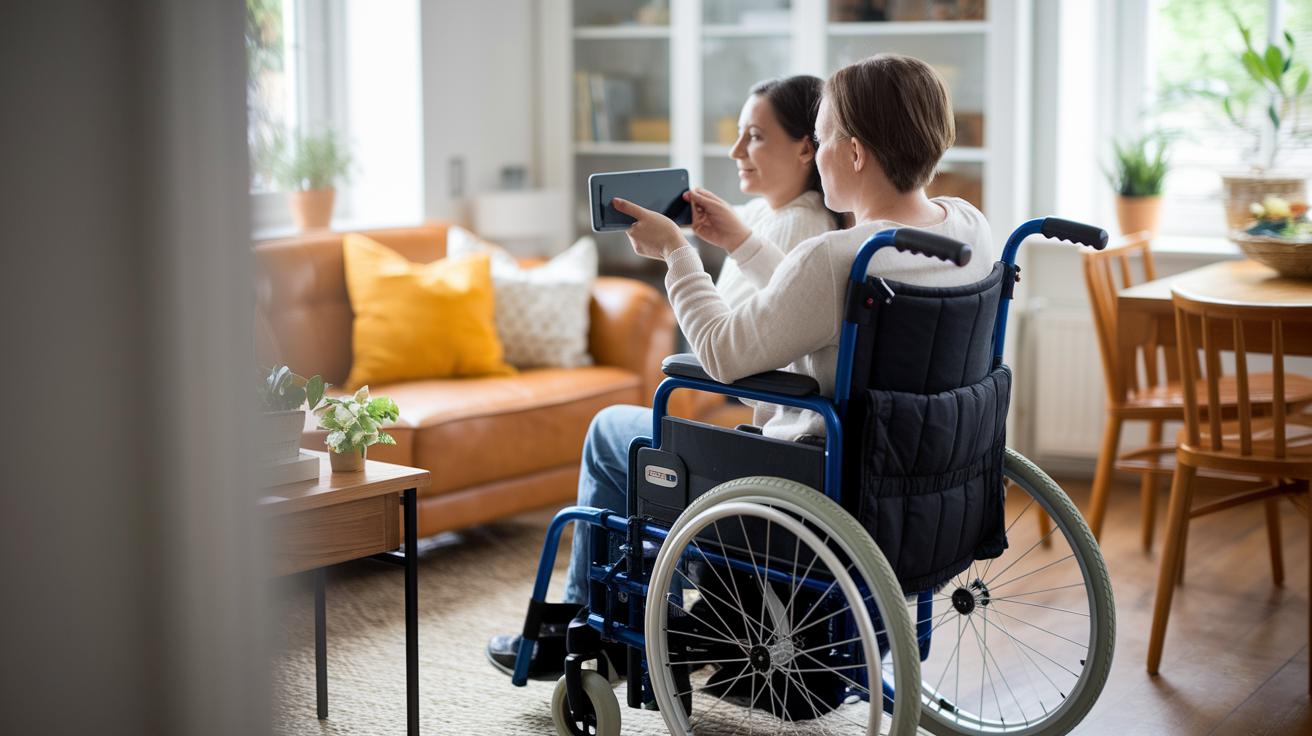
Assistive technologies let people tap into digital content in ways that match their unique needs. They include tools like software that reads text out loud or devices that convert digital info into something you can feel. For example, someone who is blind might use special programs to turn images, words, and videos into a form they can understand, while others might rely on tools that help with speech or ease computer use. These solutions break down barriers and give people more freedom to learn, work, and enjoy everyday activities. Each tool is made to meet a specific need, helping individuals feel more independent.
Below is a list of common assistive tools and what they do:
- screen readers (NVDA, JAWS, Chrome Vox, iOS VoiceOver): programs that convert text on a screen into spoken words, making content accessible for people with limited vision
- braille displays: devices that change digital text into braille, so users who are blind can read using their fingers
- screen magnifiers: software that enlarges what’s on your screen to help those with low vision see details better
- reading assistants (immersive readers): tools that adjust the way text is shown, making it easier to follow for people with reading challenges
- speech recognition software (Windows Speech Recognition, Dragon): programs that turn spoken words into text, which is helpful for those who have trouble typing
- keyboard navigation functions: features that let you use a keyboard instead of a mouse, great for those who can’t easily use a mouse
- alternative keyboards: specially designed keyboards that suit a variety of physical needs
- eye-tracking devices: systems that follow your eye movements to control a computer, offering a helpful option for users with major movement challenges
Each of these technologies plays a vital role in creating a digital environment where everyone can take part. Isn't it amazing how the right tool can open up a world of possibilities?
Integrating assistive technologies in educational settings
Assistive technologies like electronic magnifiers, braille display systems, electronic reading devices, text-to-speech apps, and immersive reading platforms help students in classrooms. These tools transform digital content into formats that match each learner's needs. When a student uses a text-to-speech app, the words on the screen are read aloud instantly. Think about it: a student listens to a lesson instead of struggling to read, and that small change can really boost engagement.
When creating digital content, it is important to follow best practices. Developers arrange the content in a clear order and add ARIA labels (short notes attached to digital elements that help assistive programs understand them) and descriptive link text. They also include alt text under 125 characters and offer captions or transcripts for videos. For example, a prompt like “Click here to start the interactive lesson” makes sure that every part of the content is easy to follow.
Special education makes a huge difference with these tools because they offer learning paths and support that match each student’s pace and style. When schools use digital resources designed for individual needs, every student can participate more fully in classroom activities. This supportive technology makes it possible for everyone, no matter what challenges they have, to access and enjoy their lessons in a real, meaningful way.
How assistive technologies enhance healthcare and daily living

Assistive technologies are making daily routines and healthcare settings both safer and more independent. Imagine a home where a voice assistant can adjust the lights or cue up your favorite song, where doors open automatically, and simple sensors help you move around with ease.
Modern mobility aids like high-tech wheelchairs, prosthetics with built-in motion sensors (small devices that detect movement), and portable ramps are changing the way people interact with their surroundings. At the same time, wearable gadgets with gentle vibrations and health sensors give you real-time feedback on your well-being. For example, a smartwatch that softly buzzes to remind you to take your medication can really make a difference, picture it nudging you when it's time to refill your prescriptions.
In places like hospitals and clinics, these technologies are also changing how care is delivered. Apps that let you video chat with your doctor and remote support platforms allow patients to get care from the comfort of their homes, cutting down on long travel times and waiting periods. Recent breakthroughs, as seen at https://buzzyandclever.com?p=1772, show smart devices that help monitor patients and keep them connected with their healthcare teams.
Overall, these tools not only boost safety but also empower people to take charge of their own care, leading to a better quality of life.
Technological advancements driving next-generation assistive technologies
New assistive technologies mix smart gadgets with clever software to make life simpler. Innovative tools such as adaptive keyboards and braille displays (devices that let blind people read) now team up with systems that offer real-time, customized help. AI (artificial intelligence, or smart computer programs) is a key player here, spotting objects and giving help based on what the user needs. Wearable devices like advanced smartwatches provide quick feedback and aid, too. Augmented reality aids, which overlay helpful digital hints on the real world, guide users through daily routines and rehabilitation, making tasks feel more natural. All these breakthroughs add a modern twist to tools that help people feel strong and independent.
Software is also stretching what assistive technologies can do. New support systems adapt to different user inputs, while AI captioning tools and digital platforms change online content into something easier to understand. Speech-to-text engines now turn spoken words into text with great accuracy, and predictive text apps simplify conversation. AR/VR tools (augmented and virtual reality devices that create visual prompts) support motor-skill exercises and enhance physical therapy. Ongoing research continues to weave hardware and software together, making technology more accessible than ever before. Below is a quick look at some of these exciting pairings:
| Hardware | Software |
|---|---|
| Adaptive keyboards | AI captioning tools |
| Refreshable braille displays | Digital accessibility platforms |
| Augmented reality aids | Speech-to-text engines |
| Virtual support assistants | Predictive text applications |
Best practices and policies for implementing assistive technologies

Developers should stick to clear, specific coding rules when building assistive tools. Arranging digital information in a logical order makes it easier for screen readers (programs that read text aloud) to guide users through the content. Adding ARIA labels (special tags that explain web elements) gives extra context, while clear link descriptions and short, meaningful alt text help everyone understand images. And by including accessible multimedia options like captions or transcripts, the overall user experience becomes much better on any device.
Having strong policy frameworks is also very important for keeping assistive technology effective over time. By meeting standards such as WCAG and ADA compliance, digital content stays available to everyone. Teams can use these clear guidelines to design websites and apps that work well with adaptive tools. These rules not only protect user rights but also create a standard approach to developing content that everyone benefits from.
It’s also crucial to use evaluation metrics to see how well assistive technologies are working. User-accessibility testing helps gather feedback directly from people who rely on these tools, guiding designers to make improvements. Training sessions, webinars, and resource libraries keep both developers and users updated on the latest best practices. And with regular reviews of digital projects, developers can ensure that their coding techniques and policy standards remain up-to-date. This proactive process makes it possible to build a more inclusive environment where online experiences continuously evolve to meet the needs of all users.
Final Words
In the action, we covered assistive technologies from their basic definition to how they boost independence in education, healthcare, and daily routines. We examined tools like adaptive devices that support learning and advanced systems that improve health and mobility. The article walked through real-world examples and smart innovations shaping accessibility standards. Every section highlighted how these technologies make everyday life better. There's plenty to feel hopeful about as assistive technologies continue to bring practical, inspiring changes to our lives.
FAQ
What are the three main types of assistive technology?
The three main categories of assistive technology include devices, software, and equipment that help people with disabilities perform daily tasks.
What are some examples of assistive technology devices?
Examples of assistive technology devices include screen readers, braille displays, speech recognition software, and text-to-speech applications that help individuals access information regardless of their challenges.
What do we mean by assistive technology?
Assistive technology refers to tools—from hardware to software—designed to help people with disabilities improve their learning, work, and everyday living by enhancing independence and participation.
How is assistive technology used for physical disabilities?
Assistive technology assists people with physical disabilities by offering tools like mobility aids, voice-activated smart devices, and sensor-based systems that boost safety and support everyday activities.
What is low-tech assistive technology?
Low-tech assistive technology involves simple, non-electronic solutions such as pencil grips, raised line paper, or manual wheelchairs that offer practical support without relying on digital innovations.
What are assistive technology websites and services?
Assistive technology websites and services provide online resources, guides, and support networks that help users find and learn how to use digital tools designed to improve accessibility and daily independence.
What are the 5 P’s of assistive technology?
The 5 P’s of assistive technology serve as a framework covering Provision, Performance, Personalization, Practicality, and Participation, which help in evaluating and selecting suitable solutions for diverse needs.