Have you ever wondered if using digital tools for everyday tasks can help us succeed? When schools and offices mix smart tech (tools that let computers work together) with hands-on methods, they create spots where learning and work become easier and more fun.
This blend turns regular tasks into lively moments that spark new ideas and improvements. By using digital tools carefully, we can boost our work and learning speed, paving the way for exciting progress. Keep reading to find out how a smart digital approach can build a brighter future in both education and business.
Understanding Technology Integration: Definitions and Scope
Technology integration means using digital tools and platforms in a thoughtful way to improve learning and business results. It's not just about swapping old tools with new ones; it's a mindful approach that fits specific goals. For instance, digital integration modeling (using digital twin technology, which creates a virtual copy of a system to test ideas) helps schools and companies try out plans in a virtual setting before they put them into action.
In our fast-changing world, new tech reshapes the way we do our work. Instead of judging success by how many hours a device is used, real progress comes from quality learning and better, smoother operations. When different systems join together into one unified platform, it makes life easier for both students and professionals.
Consider this simple example: a school uses an interactive dashboard to track how students are doing, and a company uses similar tools to fine-tune its projects. This shows how a well-thought-out plan can turn technology into a helpful partner.
Planning for tech integration requires regular check-ins and flexibility. It’s all about balancing creative problem solving with clear, goal-driven steps. With careful planning and smart adjustments along the way, digital tools remain useful and relevant. This structured approach, built on detailed planning and regular evaluation, paves the way for a future where technology makes everyday tasks more enriching in both education and business.
Technology Integration Ignites Future Success

Digital tools help boost excitement and creativity in both schools and offices. In classrooms, gadgets like interactive whiteboards, one-to-one laptops, and adaptive learning software let teachers shape lessons that really grab students' attention. Have you ever noticed how a lesson turns from simple slides into a fun, interactive challenge? It makes learning feel personal, sparks problem solving, and encourages classmates to work together.
In business, digital platforms smooth out communication and make it easier for teams to stay connected. For instance, using integrated communication tools means fewer emails and more time for true teamwork. These systems turn raw data into clear ideas, making decisions smarter and faster.
When technology fits naturally into our everyday tasks, it speeds up work and opens the door to fresh ideas. This isn’t just about adding new devices, it’s a shift in how we learn and work by keeping people at the center and making everything flow better.
- Enhanced engagement leads to creative solutions.
- Personalized instruction meets individual learning needs.
- Unified platforms allow for quick and clear collaboration.
Real-world examples show that when technology is used thoughtfully, it sets both education and business on a path to future success.
Implementing Technology Integration: Step-by-Step Strategies
Successful integration starts when you first figure out what needs to change and what goals you want to hit. Begin with a simple needs assessment, take a close look at how classes or offices currently run, and find spots where digital tools can make a real difference. For example, a school might see how an LMS (a tool that manages courses and tracks progress) boosts student interaction, while a business could check if a unified communication system smooths teamwork.
After that, pick your tools carefully. In schools, that might mean using an LMS or adaptive learning software (a program that tailors lessons to each student). In the business world, it could be a collaboration suite that pulls all chats and files into one place. The trick is choosing tools that help meet your goals without overwhelming everyone with too many new gadgets all at once.
Then, try a pilot program to test your ideas. Think of it as a small trial run, maybe a blended learning module in one class or a department-wide digital project in an office. This test gives you real-time feedback from teachers or coworkers, which helps make the big roll-out much less risky by learning from early experiences.
Ongoing training is super important. Regular workshops and time to ease into the new tech build confidence for everyone involved. With a phased roll-out, you gradually add more advanced tools and adjust based on what you learn along the way. Frameworks like SAMR (a way to think about using tech in teaching) and TPACK (a guide for blending tech with teaching methods) can help educators plan lessons, while IT teams work on linking systems together smoothly.
A clear, step-by-step strategy like this makes the journey from planning to full implementation much smoother. Always keep in mind that the goal is to make technology serve people, not to let it take over.
Here’s a quick recap of the steps:
- Do a full needs assessment.
- Choose digital tools that match your goals.
- Start with a pilot program to test the waters.
- Gather real-time feedback from users.
- Provide plenty of training and support.
- Roll out the tech in phases.
- Keep evaluating and improving the process.
Addressing Challenges in Technology Integration

When companies try to use new technology, they can run into problems that aren’t solved by extra training or updated policies. Sometimes, teams get confused about who should do what when using digital tools. In one mid-sized hospital, they created special tech support roles, one person on call to help right away, and that change helped the staff settle in faster and work more easily together.
Another common problem is when modern systems crash into old software. A regional business set up small meetings with people from different departments to quickly fix issues when old systems didn’t work well with new ones. In one big city company, a quick weekly chat uncovered hidden bugs that, when fixed, made work a lot smoother and boosted daily productivity.
Some organizations also struggle because employees cling to old ways even when better options exist. To solve this, leaders can start friendly, peer-led support groups that let everyone try new ideas and get immediate feedback without waiting for formal training.
| Challenge | Innovative Approach |
|---|---|
| Unclear tech support roles | Designate specific tech help contacts for quick assistance |
| Old software not matching new systems | Hold cross-department meetings to troubleshoot quickly |
| Resistance to change | Create small, peer-led groups for testing new ideas and feedback |
Real-World Case Studies of Technology Integration Success
At one middle school, 24 students came together to create shoebox gliders. They used interactive 3D models and a 3D printer (a machine that creates objects layer by layer). Watching them work side by side, chatting and solving problems, was like seeing ideas come alive right before your eyes. One teacher shared, "It was amazing to see students work together and use technology to bring their ideas to life." This project turned the usual note-taking into real problem solving, laying down a fun foundation for future discoveries.
In another story, a large company improved its daily work life by switching to a unified communication suite. Suddenly, emails dropped by 40% and project work sped up by 25%. Employees were quick to mention how having everything in one spot saved time and kept things clear. It’s surprising to think that one smart change can transform a messy inbox into a simple tool that helps teams move faster and smarter.
Then there’s the case of a district-wide program that provided every student with a device. Thanks to digital tools, standardized test scores jumped by 15% and students felt more involved in class. Teachers used these digital platforms to tailor lessons to each student, much like picking the right task for each person’s unique learning style. This example clearly shows that when technology fits into everyday learning goals, it makes a big difference in students’ success and excitement.
These varied examples remind us that when technology is thoughtfully used, it can spark significant progress in both classrooms and business settings.
Evaluating Technology Integration: Metrics and Success Indicators
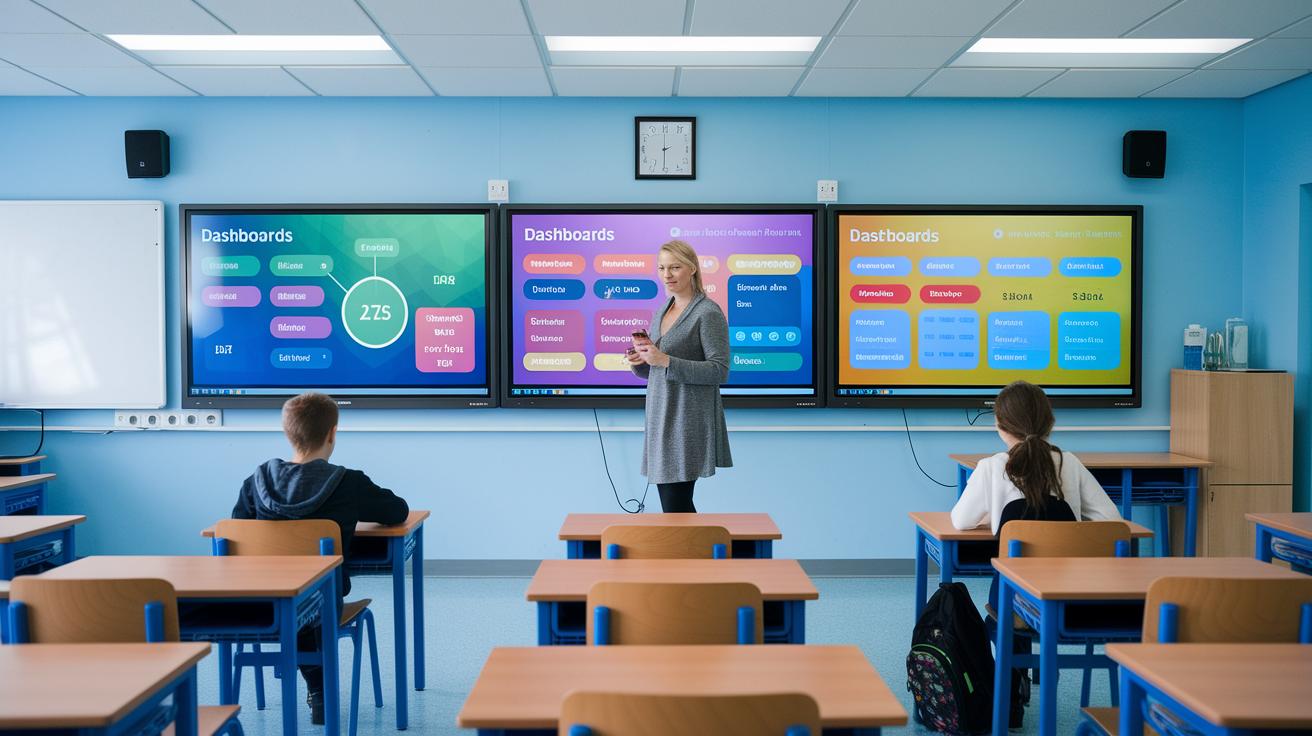
When we check how tech is making a difference, we don’t just count screen time. In classrooms, we look at how excited students are, how much their test scores improve, and how well they work together. For example, teachers can use dashboards and LMS analytics (systems that help manage classes) to see real-time engagement, like when the class lights up during interactive quizzes.
In the business world, it’s all about productivity boosts, how quickly teams pick up new tools, and the gains they see from investing in tech. Companies use reporting tools to watch how fast teams adapt to digital processes, showing clear improvements in project timelines and overall efficiency.
| Sector | Metric |
|---|---|
| Education | Engagement and assessment scores |
| Business | Productivity and system adoption |
Keeping an eye on these tools helps everyone make smart tweaks along the way. By regularly checking these measures, teachers and business leaders can adjust their strategies, ensuring tech integration not only hits short-term goals but also builds a strong path for long-term success.
Future Trends and Best Practices in Technology Integration
We’re heading toward a time when our everyday digital tools will fit into our lives as naturally as the morning coffee. AI-powered learning platforms are changing how we learn by reading students’ progress and instantly offering challenges that match their pace (think of a classroom where every lesson is tailored just for you). And thanks to the Internet of Things, devices can now share useful data with each other in real time. Plus, hybrid cloud systems neatly combine services from many sources into one easy-to-use package.
It’s all about keeping our skills fresh. Teachers and professionals need to keep learning about the latest tech, and trying out new tools in small steps helps, like a chef who tastes a dish before serving it. Getting everyone involved, from leaders to the end-users, makes sure nobody’s left out. And with clear policies in place, adopting tech becomes a smoother process.
Frameworks like SAMR and TPACK, along with steady DevOps cycles, guide us to make technology work sustainably. They show that with careful testing and tweaking, we can build work and learning environments that meet today’s demands while getting ready for tomorrow’s innovations. Regular reviews and flexible thinking lay the groundwork for technology to keep improving our world.
Final Words
In the action, technology integration steps far beyond simple tech replacement by linking digital tools to impactful, everyday improvements. We explored how smart planning and real-life cases in schools and offices bring measurable benefits like increased collaboration and efficiency. Clear strategies and practical evaluation methods show us that careful application leads to meaningful growth. Embracing the positive shifts in both work and learning environments reminds us that each step forward can bring a breath of fresh, promising innovation.
FAQ
What do you mean by technology integration and what is an integrated technology?
The term technology integration means blending digital tools and platforms with everyday processes to improve outcomes. It’s about aligning tech with goals rather than just adding devices.
What are the 5 levels of technology integration?
The five levels range from basic substitution, where tech replaces a traditional tool, to redefinition, where digital tools transform tasks into something new and more effective.
What are some examples of technology integration?
Examples include using interactive whiteboards and adaptive learning software in classrooms, unified platforms for business communication, and specialized digital tools in nursing to support patient care.
How is technology used in education and the classroom?
In education, technology is used by incorporating tablets, learning management systems, and interactive displays to create engaging lessons and personalized learning experiences in the classroom.
How is technology integrated in business and nursing?
In business, technology integration streamlines communications and decision-making, while in nursing, it involves digital solutions like electronic health records and apps that facilitate quick, clear patient care.
Where can I find a PDF on technology integration?
PDFs covering technology integration are available on many educational and institutional websites, offering detailed guides, examples, and step-by-step frameworks for both academic and business settings.
What is technology integration theory?
Technology integration theory studies how digital tools can be thoughtfully combined with traditional practices to boost learning, work processes, and overall performance through strategic planning.